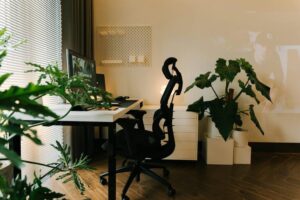
Tips for Creating an Organised and Productive Home Workspace

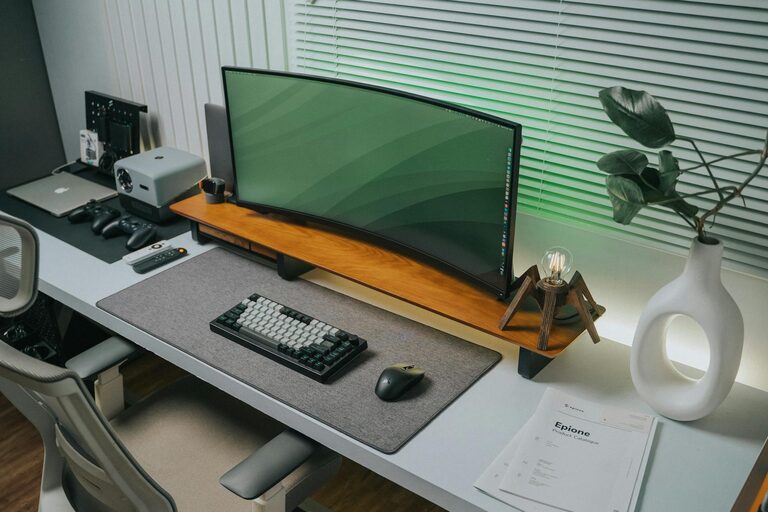
Creating a productive and organised home workspace is essential for anyone working remotely or simply managing tasks from home. A well-arranged area not only helps you stay focused but also reduces stress and improves your overall efficiency. Whether you have a dedicated room or just a small corner for work, following some key tips can transform your space into a functional and inviting environment. Here’s how to get started.
Choose the Right Location
Finding the best spot in your home for work is the first step. Look for a place with minimal distractions and enough space for your essential equipment.
– Natural light: Aim to set up near a window to benefit from daylight. Natural light can reduce eye strain and improve mood.
– Quiet area: Try to pick a location away from noisy appliances or high-traffic rooms to maintain concentration.
– Space for essentials: Ensure there’s enough room for your desk, chair, computer, and any other work materials you need.
Invest in Quality Furniture
Comfort and ergonomics play a vital role in maintaining productivity, especially when you spend long hours working.
– Ergonomic chair: Choose a chair that supports your lower back and promotes good posture.
– Desk size: Pick a desk that fits your work style, with enough surface for your computer, notebooks, and other tools.
– Adjustable options: Consider adjustable desks or accessories, like keyboard trays or monitor stands, so you can customise your setup.
Keep Your Workspace Organised
An ordered workspace helps keep your mind clear and tasks manageable. Here are some simple ways to stay organised:
– Declutter regularly: Remove unnecessary items from your desk daily or weekly to avoid buildup.
– Use storage solutions: Drawers, shelves, and organisers can keep documents and supplies tidy.
– Cable management: Use clips or ties to keep wires neat and prevent tangles.
– Label things: Clear labelling on files and boxes helps find items quickly, saving time.
Optimise Lighting
Adequate lighting reduces eye fatigue and improves your work experience.
– Use task lighting: A desk lamp with adjustable brightness lets you focus light exactly where you need it.
– Avoid glare: Position screens to avoid reflections or direct light that can cause discomfort.
– Balance lighting: Combine natural light with artificial light to maintain a constant and comfortable level throughout the day.
Personalise Your Space
Adding personal touches can make your workspace more inviting, which encourages productivity and positivity.
– Incorporate plants: Greenery can brighten your area and improve air quality.
– Use motivating decor: Inspirational quotes, photos, or art that you enjoy can boost motivation.
– Keep it minimal: Avoid overdecorating, as too many items can become distracting.
Establish Boundaries and Routine
Maintaining clear limits and habits supports productivity when working from home.
– Set working hours: Define your start and finish times to separate work life from home life.
– Designate workspace: Use your workspace only for work to mentally separate it from relaxation areas.
– Take breaks: Schedule short breaks to rest your mind and stretch.
Utilise Technology Effectively
Proper technology setup enhances efficiency in your home workspace.
– Reliable internet: Ensure a stable and fast internet connection for video calls and online tasks.
– Use productivity tools: Apps for task management, calendars, and note-taking can help organise your workload.
– Keep devices charged: Have chargers and power banks easily accessible.
Maintain Cleanliness and Air Quality
A clean environment supports focus and health.
– Clean regularly: Wipe down your desk and equipment to keep dust and germs at bay.
– Improve air circulation: Open windows or use air purifiers to keep fresh air flowing.
– Control temperature: Ensure your workspace is neither too hot nor too cold for comfort.
—
By paying attention to these tips, you can create a home workspace that fosters organisation and boosts your productivity. Remember that the ideal setup varies for everyone, so take time to adjust your space to what works best for your needs and preferences. With a little effort, your home workspace can become a place where you enjoy working and perform at your best.